feat: curl|bash installer for the macOS desktop app#595
Conversation


Add scripts/install-macos.sh (mirrored at docs/install-macos.sh so
GitHub Pages serves it at taskyou.dev/install-macos.sh, same pattern
as install.sh) that installs TaskYou.app from the latest release DMG
with zero Gatekeeper prompts:

- detects arch (arm64 -> TaskYou-macos-arm64.dmg, x86_64 ->
  TaskYou-macos-x64.dmg) and fails with a clear message if the asset
  isn't published
- downloads with curl (no com.apple.quarantine xattr, so no
  "unidentified developer" prompt for our ad-hoc-signed bundles),
  hdiutil-verifies, mounts read-only, ditto-copies
- installs to ~/Applications by default (no sudo);
  TASKYOU_INSTALL_SYSTEM=1 opts into /Applications with sudo
- warns when a copy exists in the other Applications folder
- strips quarantine belt-and-braces, then launches the app;
  TASKYOU_NO_LAUNCH=1 skips the launch (testing/CI)

Also add the one-liner to the README GUI section and a docs/_headers
entry so the script is served as text/plain.

Co-Authored-By: Claude Fable 5 <noreply@anthropic.com>


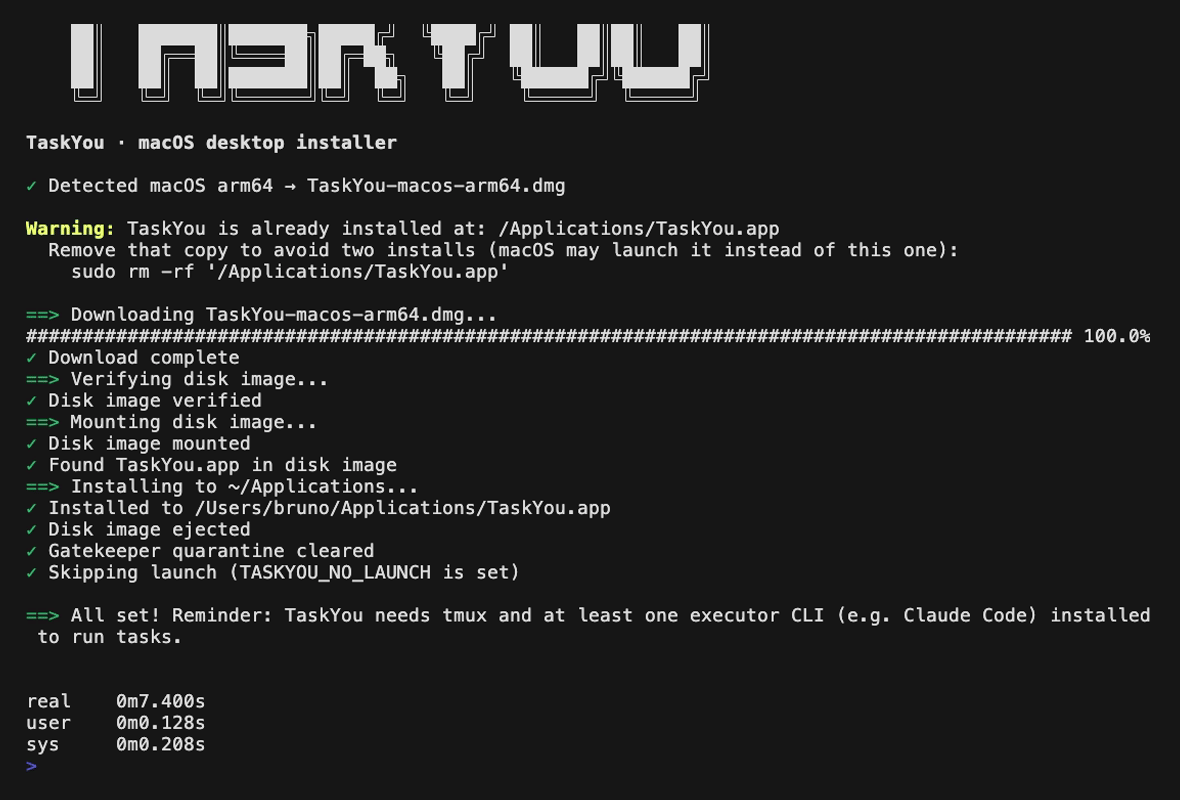
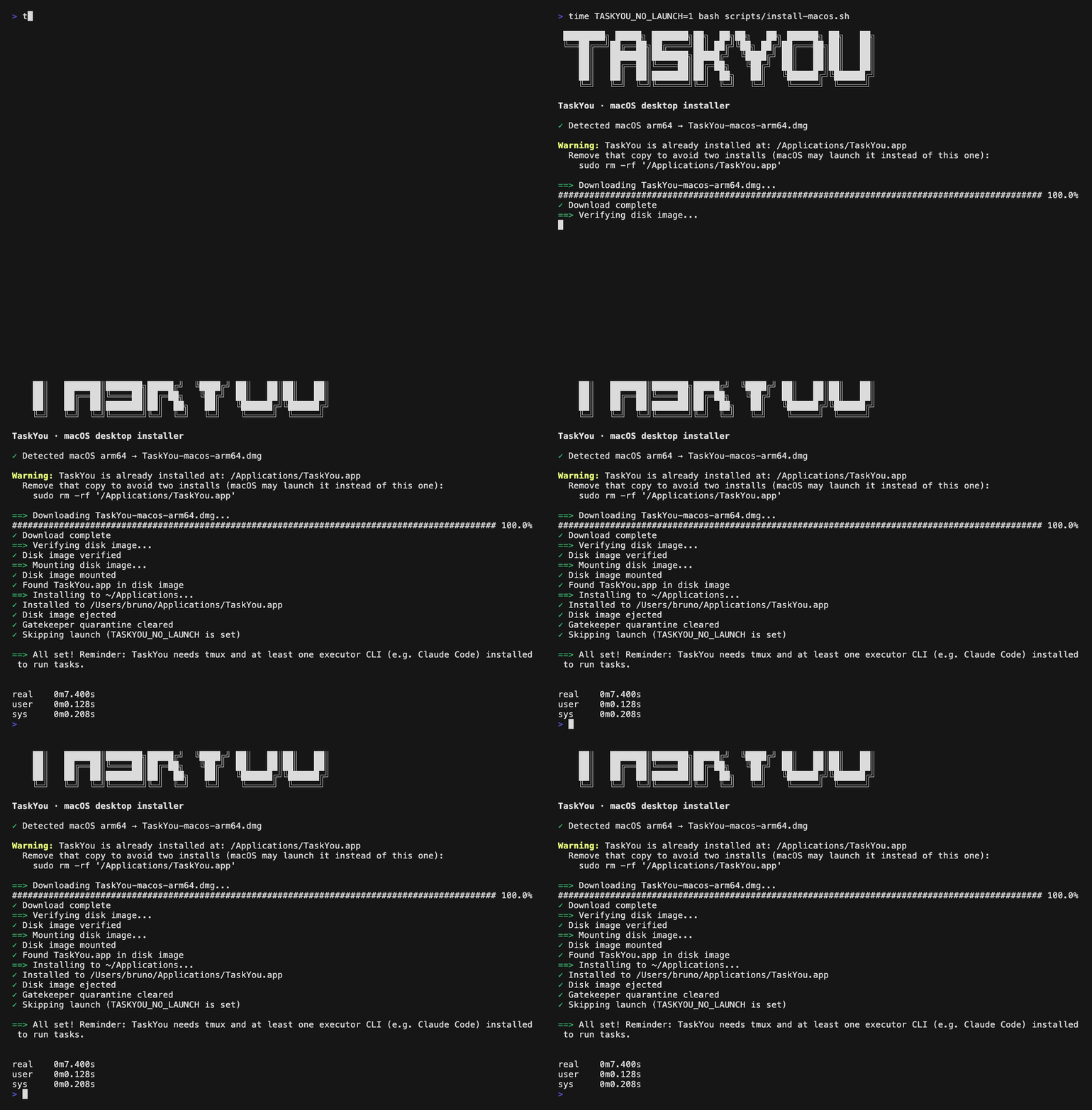
QA evidence — real installer runReal end-to-end run of Final frame (full ✓ step list + "All set"): Full run: Note: the yellow "TaskYou is already installed at: /Applications/TaskYou.app" warning in the recording is the script's dual-install detection working as designed — this machine has a dev copy in Post-install verification (run after the recording, before cleanup)No Machine left clean: the test install at 🤖 Generated with Claude Code |
1 participant

What
A Nora-style
curl | bashinstaller for the TaskYou desktop app:curl -fsSL taskyou.dev/install-macos.sh | bashOur DMGs are ad-hoc signed only (#78ced384), so browser downloads hit Gatekeeper's "unidentified developer" prompt. Files downloaded via curl never receive the
com.apple.quarantinexattr, so this script gives a zero-prompt install with no Apple Developer account.How it works
✓step output (style followsscripts/install.sh)uname -mto the real release assets from the desktop workflow matrix:arm64→TaskYou-macos-arm64.dmg,x86_64→TaskYou-macos-x64.dmg; clear error for anything else or if the asset isn't attached to the latest releasecurl,hdiutil,ditto,xattr,openreleases/latest/download/<asset>into amktemp -ddir (--retry 3 --progress-bar,trapcleanup detaches + removes on any exit)hdiutil verify, thenattach -nobrowse -readonly -mountpointdittoto~/Applicationsby default (no sudo);TASKYOU_INSTALL_SYSTEM=1opts into/Applicationswith sudo; warns when a copy exists in the other Applications folder (macOS may keep launching that one)xattr -dr com.apple.quarantineon the installed app (belt-and-braces — curl downloads aren't quarantined), thenopens it;TASKYOU_NO_LAUNCH=1skips the launch for testing/CIPlacement
scripts/install.shanddocs/install.share identical duplicated copies with no sync mechanism (docs/ is the GitHub Pages root for taskyou.dev), so this follows suit:scripts/install-macos.sh+ identicaldocs/install-macos.sh. Also added adocs/_headersentry mirroring the existing/install.shone, and the one-liner in the README's GUI section (existing CLI/TUI/GUI structure untouched).Testing
bash -n: clean.shellcheck(v0.11.0 via npx): clean.TASKYOU_NO_LAUNCH=1: downloaded the actual v0.3.8TaskYou-macos-arm64.dmg, verified, mounted, installed to~/Applications/TaskYou.app, ejected, cleared quarantine, skipped launch:com.apple.quarantinexattr, valid ad-hoc Mach-O arm64 bundle percodesign -dv; temp dir removed and no leftover mounts. (The pre-existing/Applications/TaskYou.appon the test machine — a local dev build — was left untouched; it usefully exercised the other-location warning above. The~/Applicationstest install was removed afterwards.)TASKYOU_GITHUB_REPO=bborn/definitely-not-a-repo→ curl 404 →Error: Download failed. TaskYou-macos-arm64.dmg may not be attached to the latest release for this architecture — check …, exit code 1.Notes
macos-arm64andmacos-x64DMGs, but the latest release (v0.3.8, the first with any DMG) only has the arm64 asset —TaskYou-macos-x64.dmg404s today. The script supports both archs; Intel users get the clear "may not be attached to the latest release" error until the macos-13 job's asset actually ships.taskyou.dev/install-macos.shuntil this merges and Pages redeploys; until then it works viacurl -fsSL https://raw.githubusercontent.com/bborn/taskyou/feat/macos-gui-installer/scripts/install-macos.sh | bash.🤖 Generated with Claude Code